Which laser engraver do you need? One question decides it
Almost every guide here opens with wattage. That is the wrong place to start: a 40W machine of the wrong type cannot do the job at all. Start with the material.
What are you putting the laser on?
Two answers, two different machines. Pick yours:
Affiliate link. Roller included, so cylindrical items — tumblers, mugs, bottles — are covered as well as flat work. Confirm the current price and box contents on the listing.
Affiliate link. The 2W infrared module marks bare steel and aluminium; the diode on the same machine handles wood and leather. Check the independent review count — see our note below.
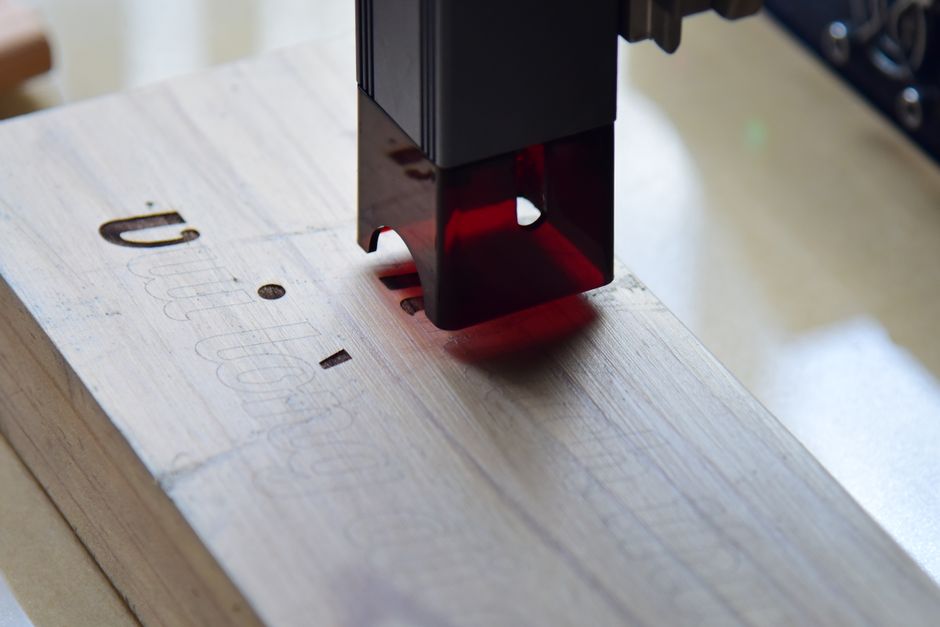
If your answer was the first one, you are shopping in a crowded and relatively inexpensive part of the market. If it was the second, the options narrow sharply and the entry price roughly doubles. Most of the confusion in this category is people in the second group being sold the first group's machines.
| What you want to mark or cut | What can actually do it | What cannot |
|---|---|---|
| Wood, plywood, leather, card, paper, cork, dark or coated acrylic | Blue diode | — |
| Bare metal — steel, aluminium, brass, titanium; tools, knives, tags, jewellery | Infrared (1064 nm) or fibre | A diode of any wattage. This is a wavelength limit, not a quality difference |
| Clear or light-coloured acrylic, glass, thick sheet metal | CO2 or an industrial fibre cutter | Everything on this page — see what this page does not cover |
Why a diode cannot mark bare metal, however many watts it has
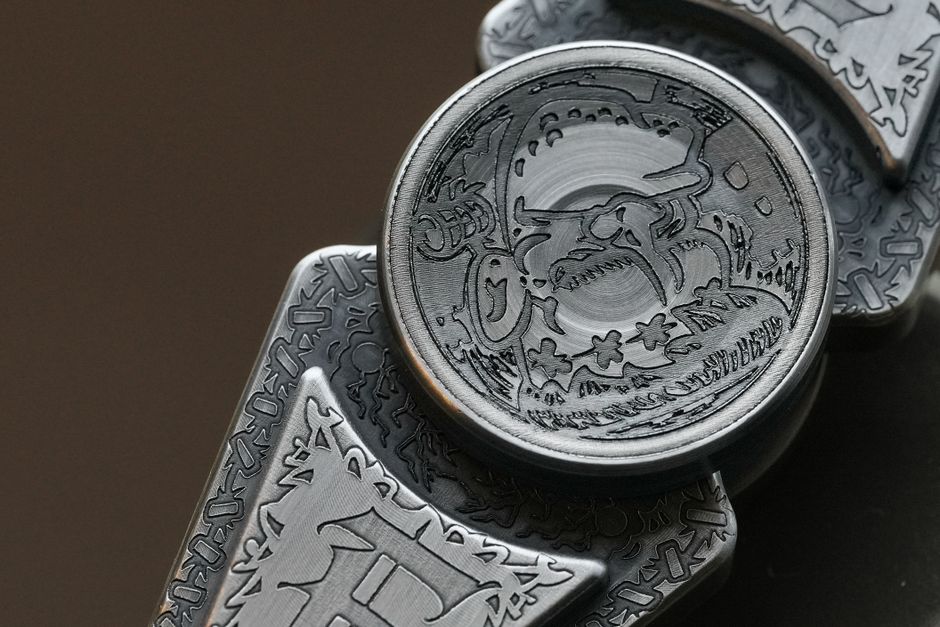
A blue diode laser emits at about 450 nm. Bare, shiny metal reflects most of that light rather than absorbing it, so the energy never turns into heat at the surface. Infrared at 1064 nm is absorbed by metal, which is why every machine that genuinely marks bare steel uses an infrared or fibre source.
You will see diode machines advertised as marking metal. That normally means coated or painted metal — the laser burns the coating, not the metal — or metal that has been sprayed with a marking compound first. Both are real techniques and both are fine if that is what you want. Neither is a permanent mark in bare steel.
This is the single most useful thing to settle before you compare anything else. A buyer who needs bare-metal marking and buys a 40W diode has bought the wrong tool, and no setting, upgrade or accessory fixes it.
Flat only, or do you need a roller?
The second question that actually changes which box you buy is whether your work is flat. Engraving a tumbler, a mug, a bottle or a ring requires the piece to rotate under the beam in sync with the laser. That is what a rotary roller does.
Rollers are sold both bundled and separately. Buying the bundle is usually cheaper than adding the roller later, so it is worth deciding now rather than discovering it afterwards. If everything you plan to make is flat — coasters, signs, panels, leather patches — you do not need one and should not pay for it.
Affiliate link. The same diode machine in the cheaper configuration. If you later decide you want cylindrical work, the roller is available separately — at a higher combined price.
If you are marking metal at volume
The dual-laser machine above uses a 2W infrared module. It marks bare metal, but it is a 2W source: for one-off tags, tools and gifts it is appropriate, and for a production run it will feel slow.
The step up is a 20W fibre machine, which is roughly three times the price. Before you consider it, one thing is worth knowing, and it is the reason we are not putting a recommendation button on it:
The fibre models in this range currently carry very few independent reviews — low single digits at the time of writing. A near-perfect rating from two or three ratings tells you almost nothing about reliability, support or parts availability. That is not a claim that the machine is bad. It is a statement that the evidence most buyers rely on does not exist yet for it. If you are spending at that level, that absence is the thing to investigate, not the specification sheet.
The questions that are not on the specification sheet
Specifications are the easy part. These are the items that decide whether you are happy in six months, and they are worth checking on the listing itself before you buy:
- What is actually in the box. Enclosure, roller, honeycomb bed, air assist and fume extraction are frequently separate purchases. Price the configuration you will really use, not the headline unit.
- Fume handling. Cutting wood, leather and especially anything coated produces smoke that needs ducting or filtration. This decides which room the machine can live in, and it is the most common reason a machine ends up unused.
- Warranty length, and who honours it. Check whether support is handled by the manufacturer or by a third-party seller, and where replacement parts ship from.
- Returns. A machine of this size and value is not a trivial return. Confirm the window and who pays return shipping before ordering.
- How many independent reviews exist, and how recent. A long review history on an older model is often more informative than a spotless one on a model launched last quarter.
- Eye protection and safe placement. Open-frame diode machines require rated goggles and a surface where a stray beam cannot reach anyone. Enclosed machines cost more and remove most of that problem.
Affiliate link. Bundles vary and the accessory list is where the real total price lives — read the contents on the listing against the six points above.
What this page does not cover
Being explicit about this saves you time:
- Clear and light-coloured acrylic. Diodes pass straight through it. You want a CO2 machine, which is a different category with different running costs.
- Cutting metal. Marking metal and cutting metal are not the same job. Cutting sheet steel is industrial kilowatt-class equipment, an order of magnitude above anything here.
- Engraving as a service. If you want a one-off item engraved rather than a machine of your own, a local engraver will be cheaper and faster than any purchase on this page.
What we checked, and what we did not
We have not operated these machines. Everything above is drawn from the manufacturer's published specifications and the retailer's current listings, read on 13 September 2026, together with the physics of the laser types involved, which does not change. Where a listing did not state something — and several did not — we have said so rather than filled the gap.
We are an independent publisher, not a retailer. We do not sell, stock or ship anything, and we are not an authorised representative of any brand named here. Prices and availability change without notice; the listing is the authority, not this page.
Affiliate link. The review count is the figure most worth re-checking — it is the one that changes fastest, and the one this page told you to weigh most heavily.