Mini PCs: why two machines with the same processor are not the same machine
A mini PC listing leads with a processor name because the processor name is the part buyers recognise. It is also the part that varies least between machines that perform very differently. The same chip in two enclosures can differ by 30% or more in sustained work, and the specifications that explain the gap are further down the page — when they are published at all.
1. Sustained power limit, not processor name
Modern mobile processors do not have a single power figure. They have a short-burst limit and a sustained limit, and the manufacturer of the machine — not the chip — chooses where the sustained limit sits, within a range the chip supports.
A processor with a configurable range of 15–28 W behaves like two different products at the two ends of it. Run for five seconds, both configurations look identical in a benchmark. Run for five minutes — a video export, a compile, a long spreadsheet recalculation — and the 15 W machine settles substantially lower.
The listing almost never states the configured sustained limit. The proxies worth reading:
- The external power supply's wattage. A 65 W brick cannot feed a sustained 45 W processor plus everything else. A 120 W brick on a small machine says the manufacturer expects to use it.
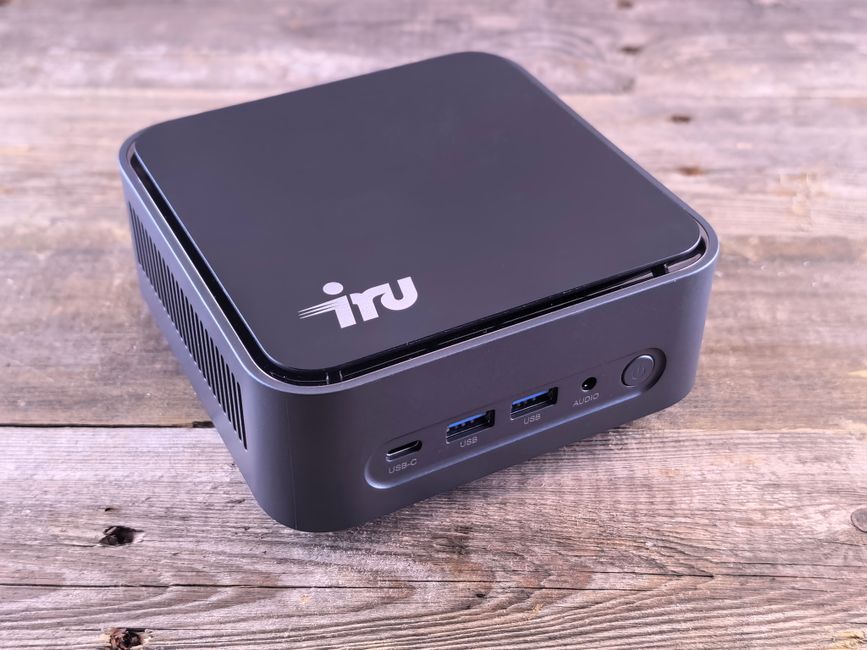
- Chassis material and size. Aluminium with fins dissipates heat that plastic does not. A larger case is a design decision about heat, not a cost saving.
- Whether the listing mentions the cooling at all. Machines configured at the high end of the range advertise it, because it is what they spent money on.
2. Memory: how many sticks, and whether you can change them
Two separate questions, both of which listings blur.
Soldered or socketed. Soldered LPDDR5 is faster and cannot be upgraded, ever. Socketed SODIMM is slightly slower and can be replaced when 16 GB stops being enough. For a machine you intend to keep, socketed is usually the better trade; for a machine you want as small and quiet as possible, soldered is the reason it can be.
Single or dual channel, which matters more than most buyers expect. Integrated graphics have no memory of their own; they borrow system memory, and the borrowing is bandwidth limited. A machine sold with one 16 GB stick has the same capacity as one with two 8 GB sticks and materially less graphics performance — the gap in graphics-bound work is commonly in the tens of percent. A listing that says “16GB DDR5” has not told you which one it is. A listing that says “2 × 8GB” has.
3. Storage slots, and their generation
- How many M.2 slots, and whether the second one is full-length (2280) or the short 2242 format, which limits your choice of drive severely.
- PCIe generation per slot. A second slot wired to PCIe 3.0 while the first is 4.0 is common and perfectly reasonable, but it means the two slots are not interchangeable.
- Whether there is a 2.5-inch SATA bay. Cheap bulk storage, and a feature that disappeared from the smallest chassis.
- Whether the supplied drive is a named part. An unbranded drive in an otherwise good machine is the component most likely to be the cost saving.
4. USB-C, which is a shape and not a capability
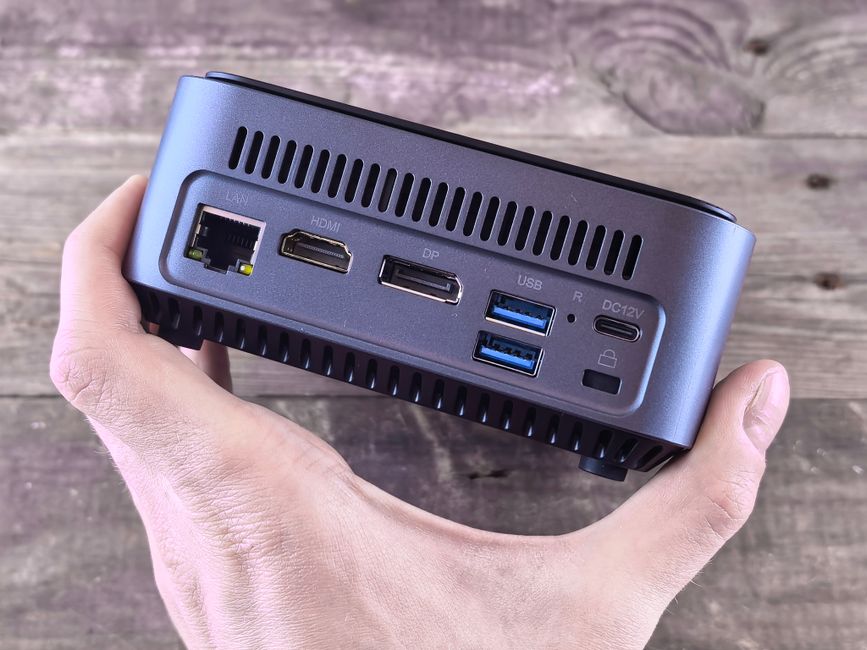
This is the single most misleading area of a mini PC specification. USB-C describes the connector. It says nothing about what the port can do, and a machine can have three USB-C ports with three different capability sets.
The three questions to answer for each port:
- Does it carry video? A port without DisplayPort Alt Mode will not drive a monitor, whatever adapter you buy.
- Does it accept power? Power Delivery input lets you run the machine from a standard USB-C supply. Many mini PCs require their own barrel-jack brick and will not.
- What is its data speed, and is it Thunderbolt or USB4? “USB-C” alone can mean 5 Gbps. Thunderbolt or USB4 means 40 Gbps and external GPU or high-speed storage becomes possible.
A listing that gives a port count without per-port capability has told you the number of holes in the case.
5. Display output, stated as a limit rather than a count
“Supports triple 4K display” is a claim that needs three qualifications before it is useful: at what refresh rate, over which combination of ports, and whether all three can run simultaneously at that resolution. HDMI 2.0 caps 4K at 60 Hz; HDMI 2.1 does not. Two 4K displays at 60 Hz and one at 30 Hz is a legitimate reading of “triple 4K” and a disappointing desk.
6. Networking and wireless
- 2.5 GbE versus 1 GbE wired. If you have a NAS or a fast internet connection, this is a real difference; otherwise it is not.
- The Wi-Fi module, and whether it is a replaceable M.2 card or soldered. Wi-Fi 6E and Wi-Fi 7 need a router that supports them to mean anything.
- Two Ethernet ports is a specification aimed at people building routers and firewalls. If that is not you, it is not a benefit.
7. Noise, which is almost never published
A mini PC lives on a desk, often at head height behind a monitor. Sustained fan noise is the single most common regret with this class of machine and the single least documented specification. Almost no listing publishes a dB figure. The available proxies are chassis size, whether the case is metal, and the size of the fan — a large fan turning slowly is quieter than a small fan turning fast to move the same air. Where a manufacturer publishes a noise figure at all, it is because they expect to win on it.
8. The operating system licence
Machines in this category ship with Windows pre-installed at prices that make the licence worth asking about. A legitimate OEM licence is tied to the board and survives a reinstall. Confirm what you are being sold, and whether a recovery image is provided.
Pre-purchase checklist
- Power supply wattage, as a proxy for the sustained power limit
- Memory configuration written as sticks × capacity, so you can see dual channel
- Whether memory is socketed or soldered
- Number of M.2 slots, their length format, and PCIe generation per slot
- Whether a 2.5-inch SATA bay exists, if you want bulk storage
- Per-port USB-C capability: video out, power in, and data speed
- Display limits stated as resolution and refresh rate per port, simultaneously
- Wired Ethernet speed, and whether the Wi-Fi card is replaceable
- Chassis material and fan size, as the only available noise proxies
- VESA mount included, if it is going behind a monitor
Six of those ten are routinely absent from listings in this category. That absence is the most consistent finding about the category: mini PC specifications are written to be compared on processor name, which is the one variable the manufacturer did not choose.